We now have the ability to stream and record video in the Community Room. We are still refining the recording and conversion process, but let us know if you would like video of your meeting or event.
Vanderbilt Library Address Book
How to display the Library Address Book in Outlook 2016.
- Click on the ellipsis (…) at the bottom of the left hand column.
- Choose Folders to open public folders.
- Click on arrow beside All Public Folders.
- Browse to University, click on arrow.
- Browse to Library, click on arrow.
- Browse to Library Address Book.
- Right click on Library Address Book and choose Properties.
- Click on the Outlook Address Book tab.
- Check the box for Show this folder as an e-mail Address Book.
- Choose OK.
- Launch a new email and chose the “To” button.
- Under Address Book, chose Library Address Book. A list of library staff and distribution list will display.
- Under Search, type name of staff member or name of distribution list or scroll down.
- Double click on the name and it will display in the “To” field. To choose more than one name, search again and double click. All names will display in the To field.
- Choose OK.
- You’ll see your choice in the “To” field of the new email.
- To see all names in a distribution list, click on the + sign.
Project Update: Web Refresh, with Staff Directory Bonus
The library website is getting a new look! The Web Refresh Team, including Jodie and Matt from LTDS, is working with Vanderbilt’s Digital Strategy and Development (formerly Web Communications) to integrate the current standard Vanderbilt web templates into the library website. To get a taste of what those templates look like, check out the HR, Registrar, or┬áPolice Department sites. The refresh will roll out in conjunction with the new ILS this summer.
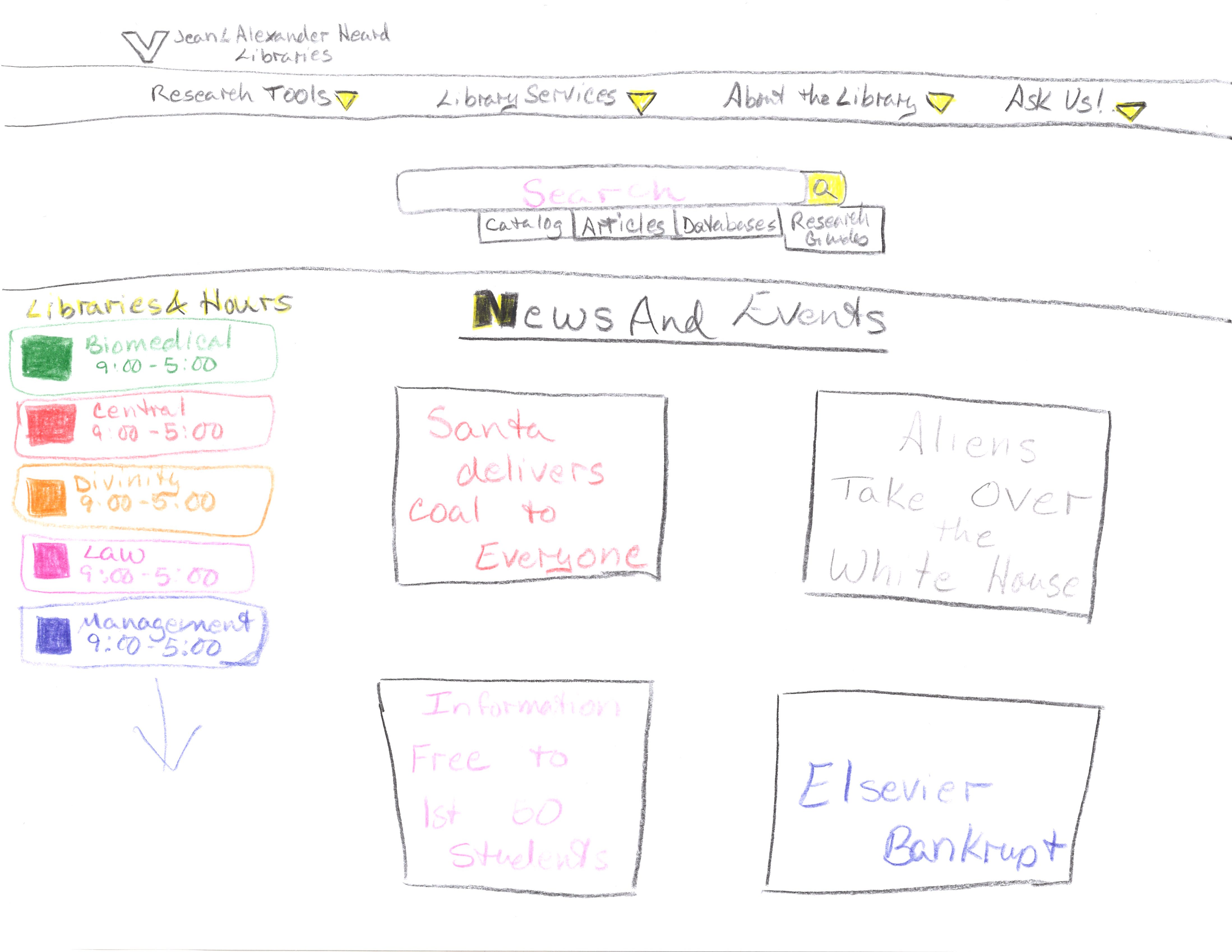
The Web Refresh Team has been hard at work since November. We have viewed and analyzed many peer library websites, analyzed past feedback on our website, and even had some fun sketching out our own visions of a library website! We are currently gathering more feedback via an online survey and focus groups. We are also preparing to make a copy the current website so we can start working on the new site without interrupting service to the current site.
Bonus: The Staff Directory is also getting some TLC! Some of the improvements will be implemented ahead of the refresh, such as improving parts of the search and browse. Others will roll out with the refreshed website, such as more useful lists of branches/departments with improved layouts, and enhanced pages for individual staff members. Stay tuned for more information on this sub-project.
If you have any questions about these projects, please comment below or talk to any member of the Web Refresh Team.
Microsoft Updates
Earlier this year, Microsoft pushed out an update for all of their products to address a security issue. This update is significant in size and will require some time to be applied. Please allow your computer to update. It may even restart a number of times and may take a couple of hours to complete. We apologize for the inconvenience, but this must be done to assure the security of your data. Thank you.

HTTPS Project
Google is making changes to improve security in the Chrome browser. These changes require websites to be migrated to utilize HTTPS exclusively and, in some cases, replace the current SSL certificate. The HTTPS project is the process of migrating our websites to HTTPS. Additional information can be found at https://security.googleblog.com/2016/09/moving-towards-more-secure-web.html.
If you have any questions, please contact LTDS.
Network outages Monday January 15th
Several people reported issues when attempting to access anything online on Monday.  The problem was caused by an issue with one piece of network hardware.  The problem with the hardware was corrected in less than 2 hours.  VUIT takes network outages very seriously and were able to isolate and correct the issue quickly.
If you experience connectivity issues,  please call LTDS.  The Library is often one of the first areas to notice a network issue so quickly reporting the issue is helpful.
Tips on submitting INFORM requests
When you submit an INFORM ticket, here a few things you can do to help LTDS assign the ticket to the proper person and more quickly address your issue:
—Read the descriptions of the queues before choosing one. For instance the descriptions will let you know that anything having to do with the ILS (Integrated Library System),┬á currently the Library Catalog and Alma, should be submitted using the “ILS and Discovery Tools” queue.
—Make your subject line brief but explain the problem. For instance, instead of “Ebook”, use “Cannot access ebook”. This will help insure that the ticket will be taken more quickly by the staff member most able to resolve the issue.
—If you are requesting accounts for new staff, please use the queue “Accounts–new user setup” and fill in as much information as possible. Submit one ticket for each new staff member instead of including several in the same INFORM. Also, submit the INFORM as far in advance as possible, especially if there will be computers or other equipment needed. It takes time to get these things ordered/installed.
—Please also submit an INFORM when staff leave employment with the Library. We need to remove their accounts as soon as possible after their last day of work. Use the Access, Permissions, and Connectivity queue for these requests.
—Let us know where you are located. It would help us to know where your office is or where the particular problem is occurring.
—If you are reporting a problem with a particular machine, include the library tag number or barcode in your INFORM request. This helps us to track machines that are consistently having problems and may need to be replaced.
—Finally, please let us know if there is something we can do to make the INFORM request process even better!
Welcome to the LTDS website
Welcome to the LTDS website.   LTDS has created this site to share additional information about LTDS team members and some of the current projects that Library Technology and Digital Services are involved .  We will also post information about system issues and security warnings, technology tips, and other technology related items.
A few of the featured pages are:
- System Status  :This provides current uptime status for our public facing systems
- About :  Lists some of the key services and responsibilities of LTDS
- About –> Team : Shows the organizational chart for LTDS and lists the team members
- Current Projects :  Provides a list of many of the LTDS projects.
Please let us know if you have any questions or items you would like to see covered in future posts.